Downloading APK file for MediX
- You can download the MediX APK (installer) from the console. You’ll find a menu on the left navigation bar to download the MediX. You can download the installer directly on the Android device by using a browser on the Android device.
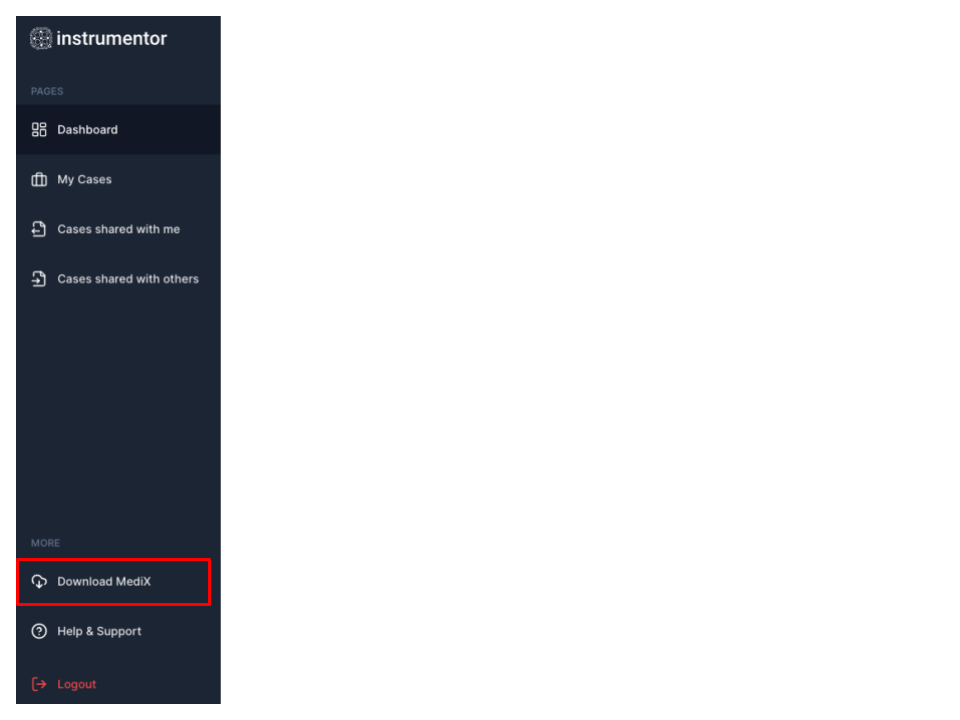
- Once the download is complete, just tap on the downloaded file and select to install the application
- As the installation is complete & you launch MediX for the first time, MediX will ask you to grant permissions for various operation - please chose to “Grant” all permissions asked.
- Launch MediX & you’ll be taken to a screen that lets you connect MediX to your regional Instrumentor cloud
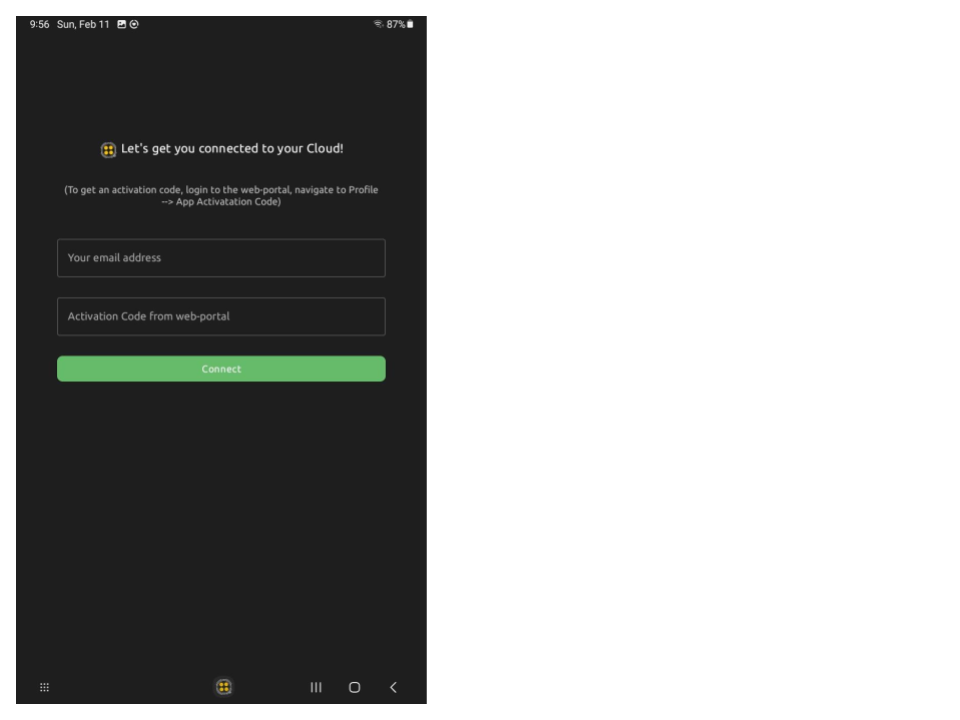
Connecting MediX to your Instrumentor Cloud
As Instrumentor clouds are regional, you will need to connect MediX to your specific region’s cloud. To do so…
- On Android device, launch a browser and login to your Instrumentor account (https://bharat.instrumentor.io OR https://portal.instrumentor.io)
- Click on your “User profile” & select “App Activation Code”
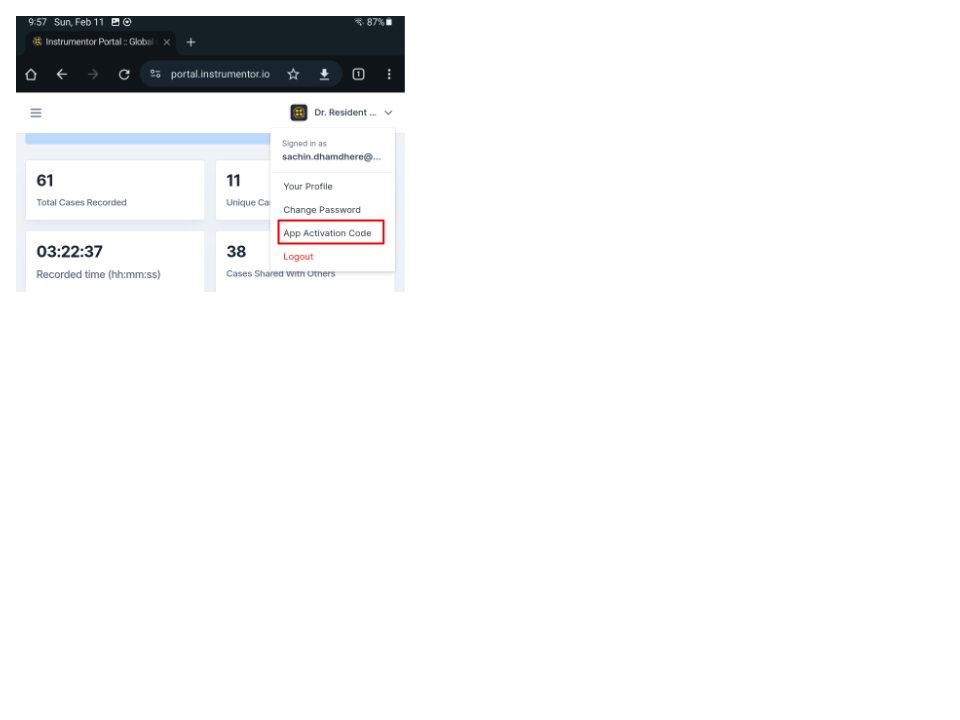
- Click on “Generate Code” button & once a code is generated, you can copy the code using “Copy Code” button
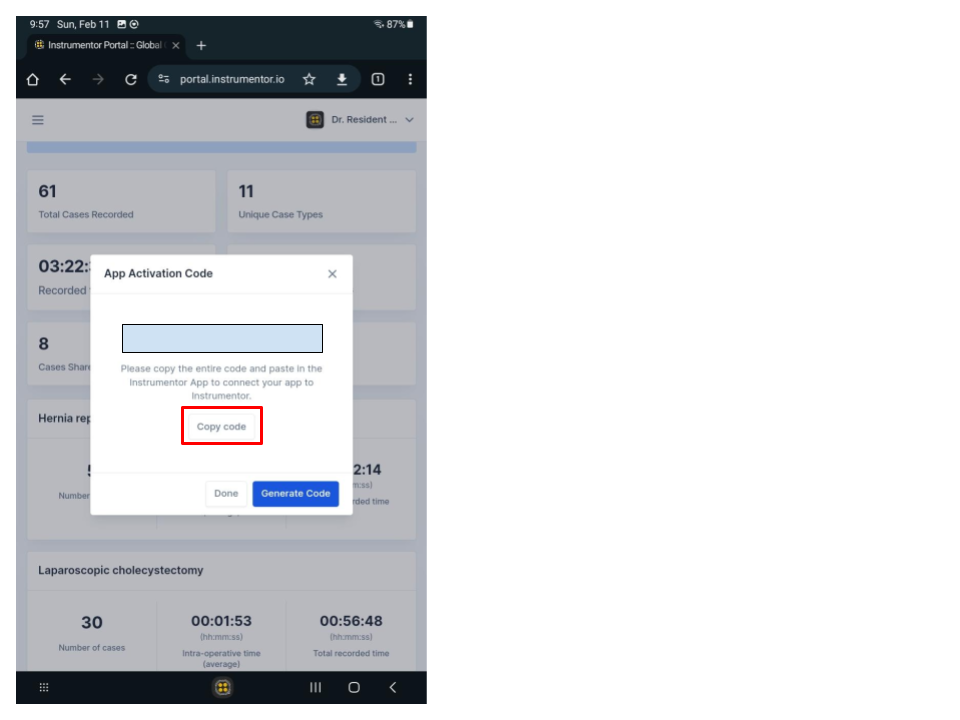
- Go back to MediX & paste the code in “Activation Code” field, enter your email address & click “Connect”
- MediX will call up your regional cloud and make sure the validation code is correct and belongs to your email address.
- You can login to MediX and start using the app.