Instrumentor App
Instrumentor App is available from Apple Store for download. The app provides most of the functionality available on Instrumentor Web Platform. App uses the same login you have for MediX or the Instrumentor Web Platform.
Download the App
- You can download the app from Apple Store using this link –OR– using the QR code below

Connecting App to your Instrumentor Cloud
The app you downloaded needs to be connected with the Instrumentor Cloud you use. Launch the app & you will see a screen asking you to enter your email address and an activation code.
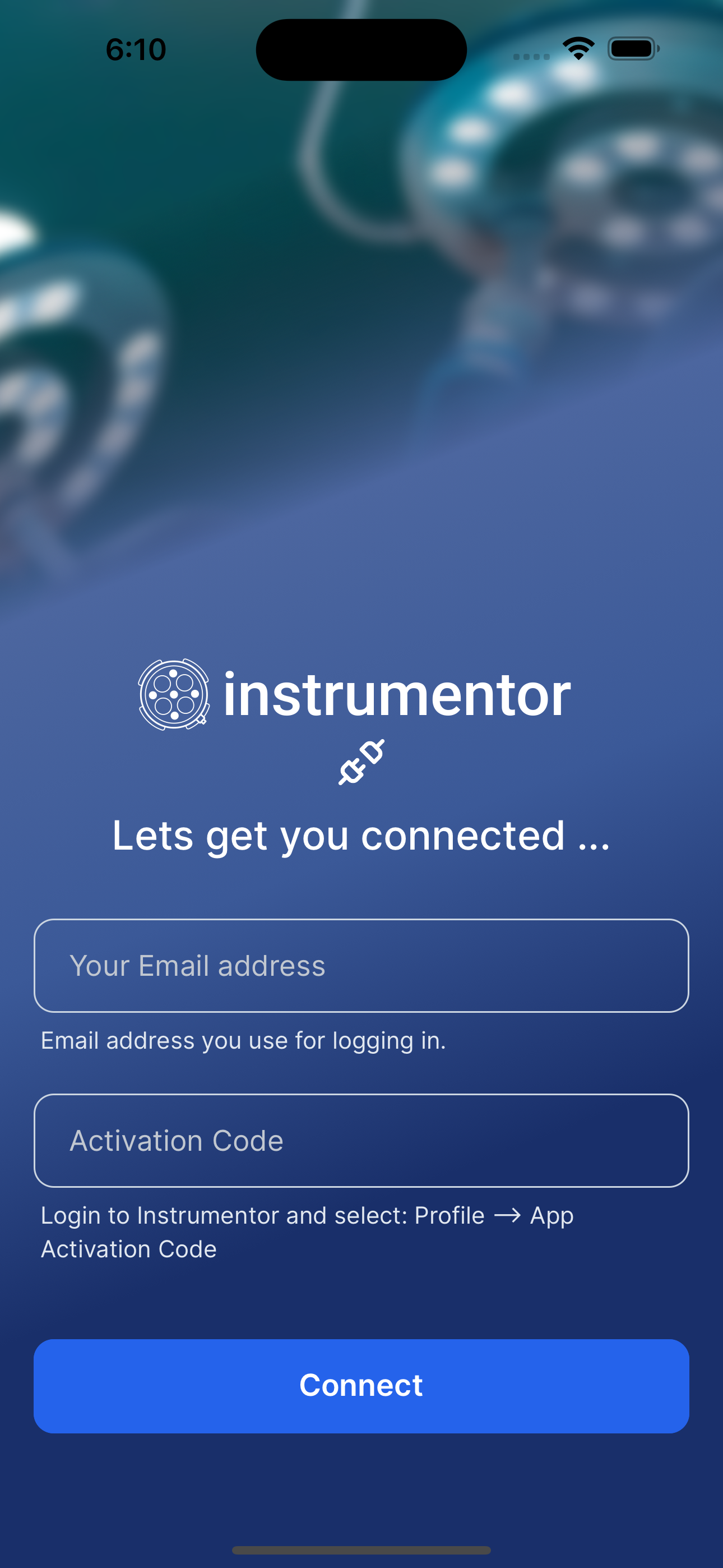
Lets get the activation code using instructions below …
- Open browser on your phone (Safari/Chrome/Firefox)
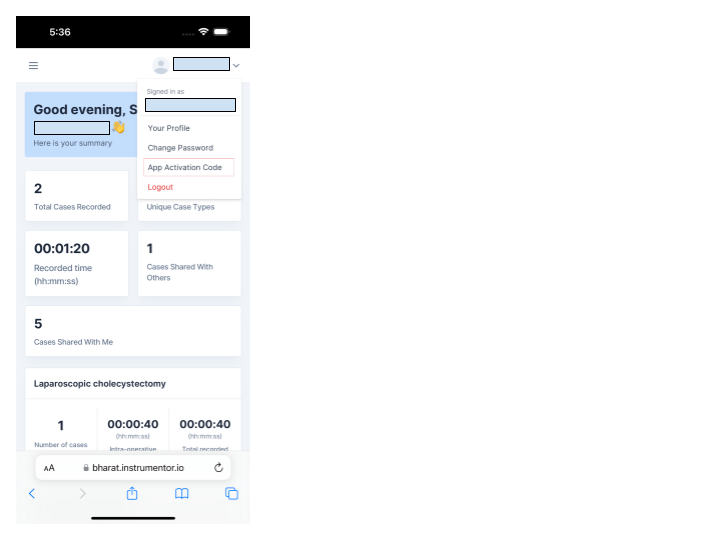
- Login to your Instrumentor web-portal. If you are using our India cloud, your URL will be https://bharat.instrumentor.io, if you are using our US portal the URL will be https://portal.instrumentor.io
- Click on your user profile and select “App Activation Code”
- Click on “Copy code” button to copy the activation code. Please note you need to copy entire string not just the part after :// (e.g. bharat://XXXXXX)
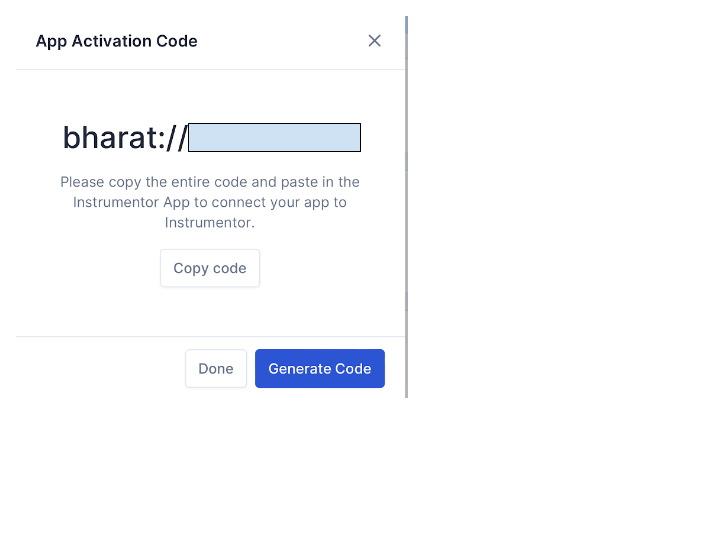
- Navigate back to the app & paste the copied code in the text box for “App Activation Code”
- Enter the same email address you used to login in the “Your Email address” text box and click on “Connect”
The app will verify the app activation code is valid is belongs to the email address. Once the verification is complete, you’ll be presented with a login screen. You can login the app and start using the app.
INFO
Drawing annotations and recording voice commentary features are not available in the app at this, but everything else.